
Redefining homework
in the age of AI
AI help inside the homework, so students still do the thinking.
One assignment, start to finish.
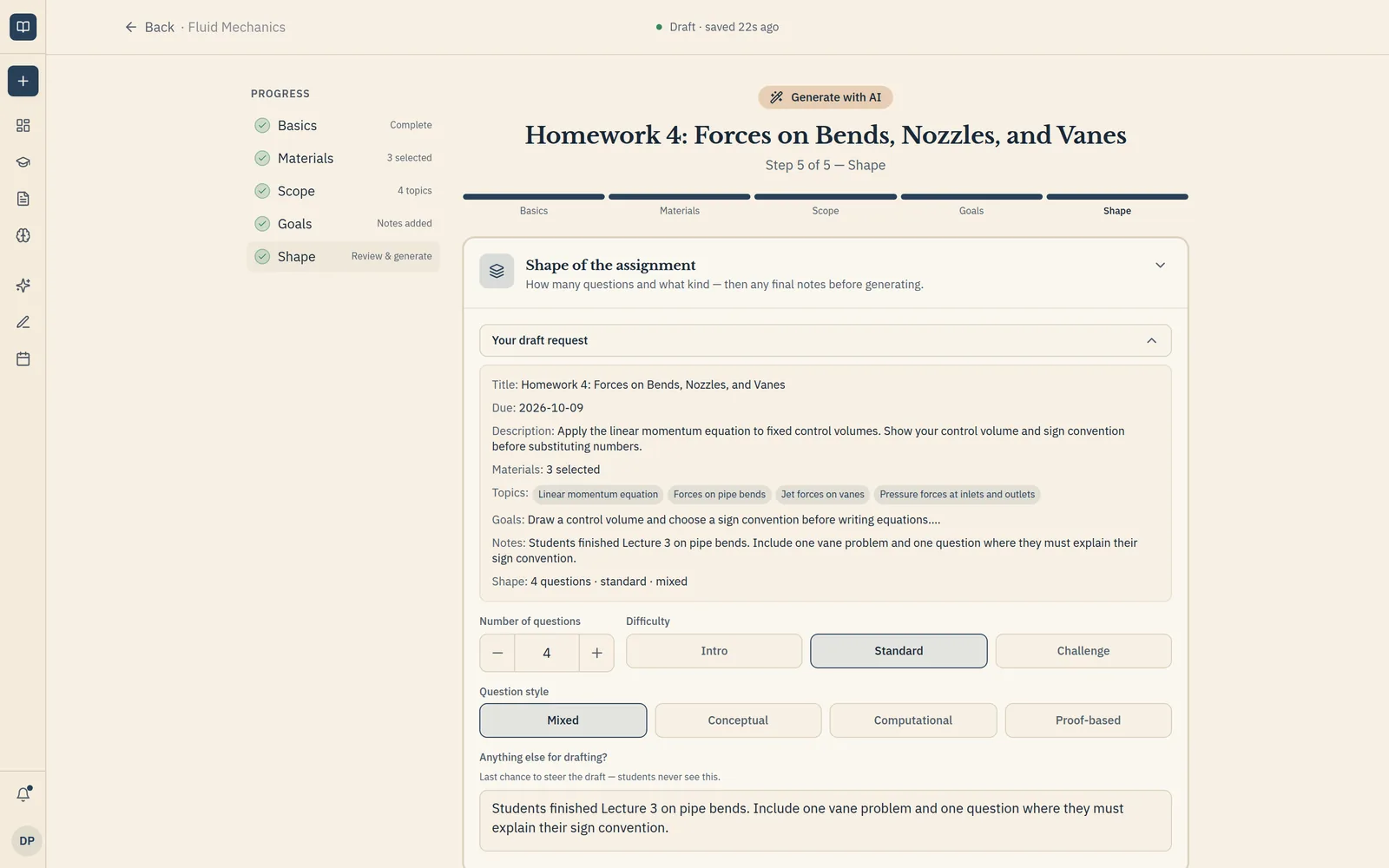
Instructor view1 of 6 · Build the assignment
- 1Instructor
Build the assignment
Upload one you already use, write your own, or draft one from your lectures and readings.
- 2Instructor
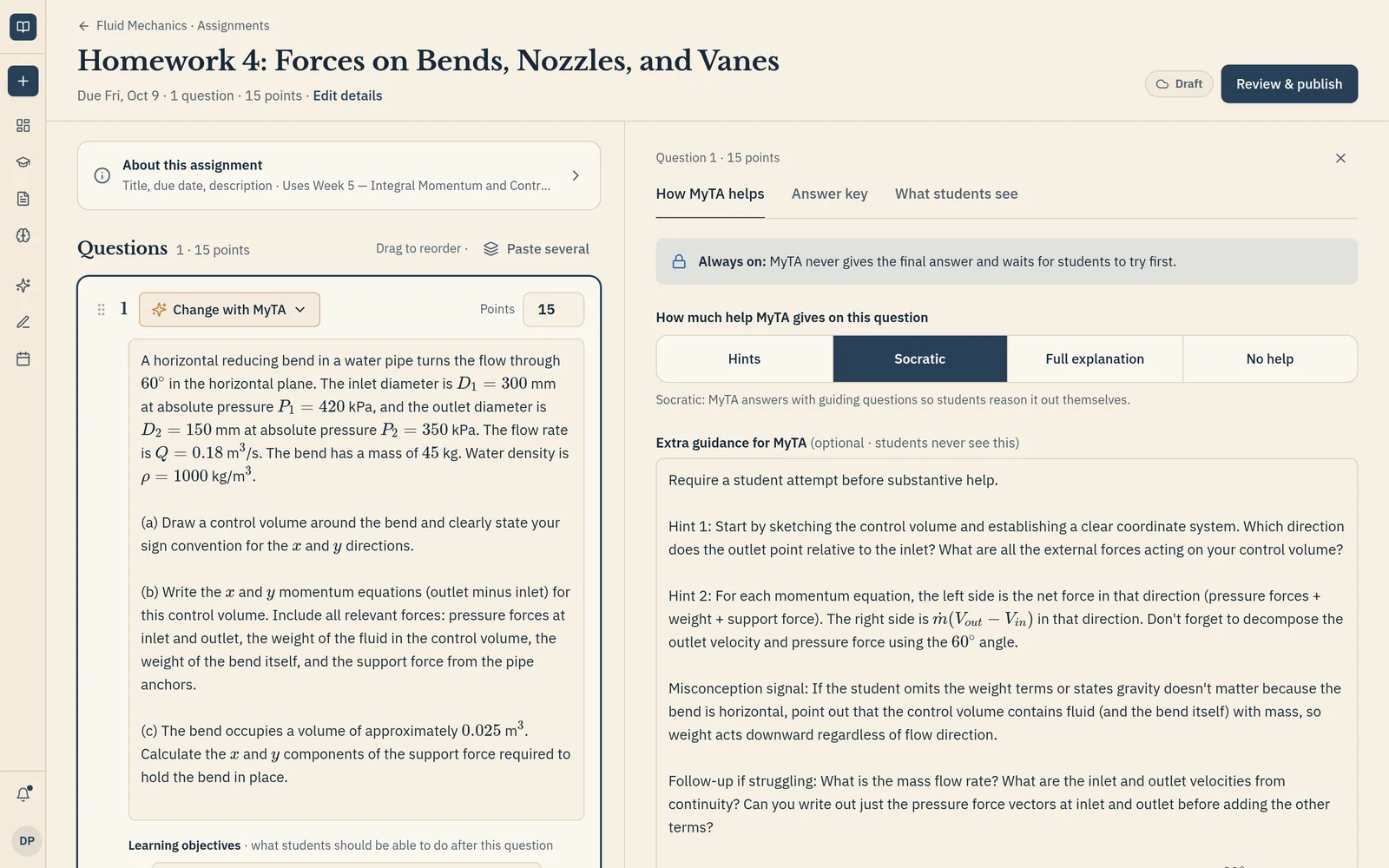
Choose how MyTA helps
Pick hints, guiding questions, or full explanations for each question. MyTA never gives the final answer.
- 3Student
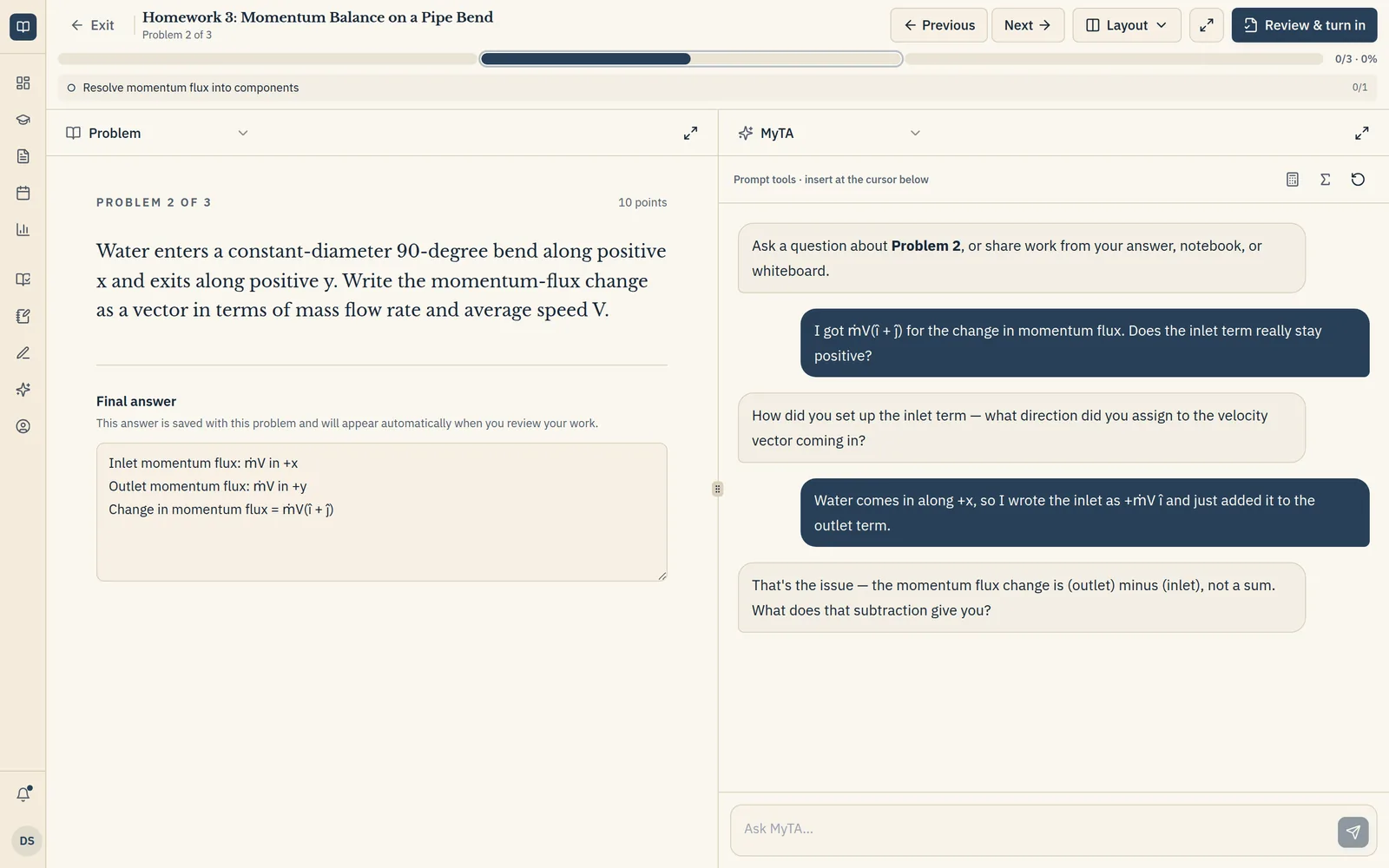
Students work with MyTA
Students ask about the step they're stuck on. MyTA replies with questions that lead to the fix.
- 4Student
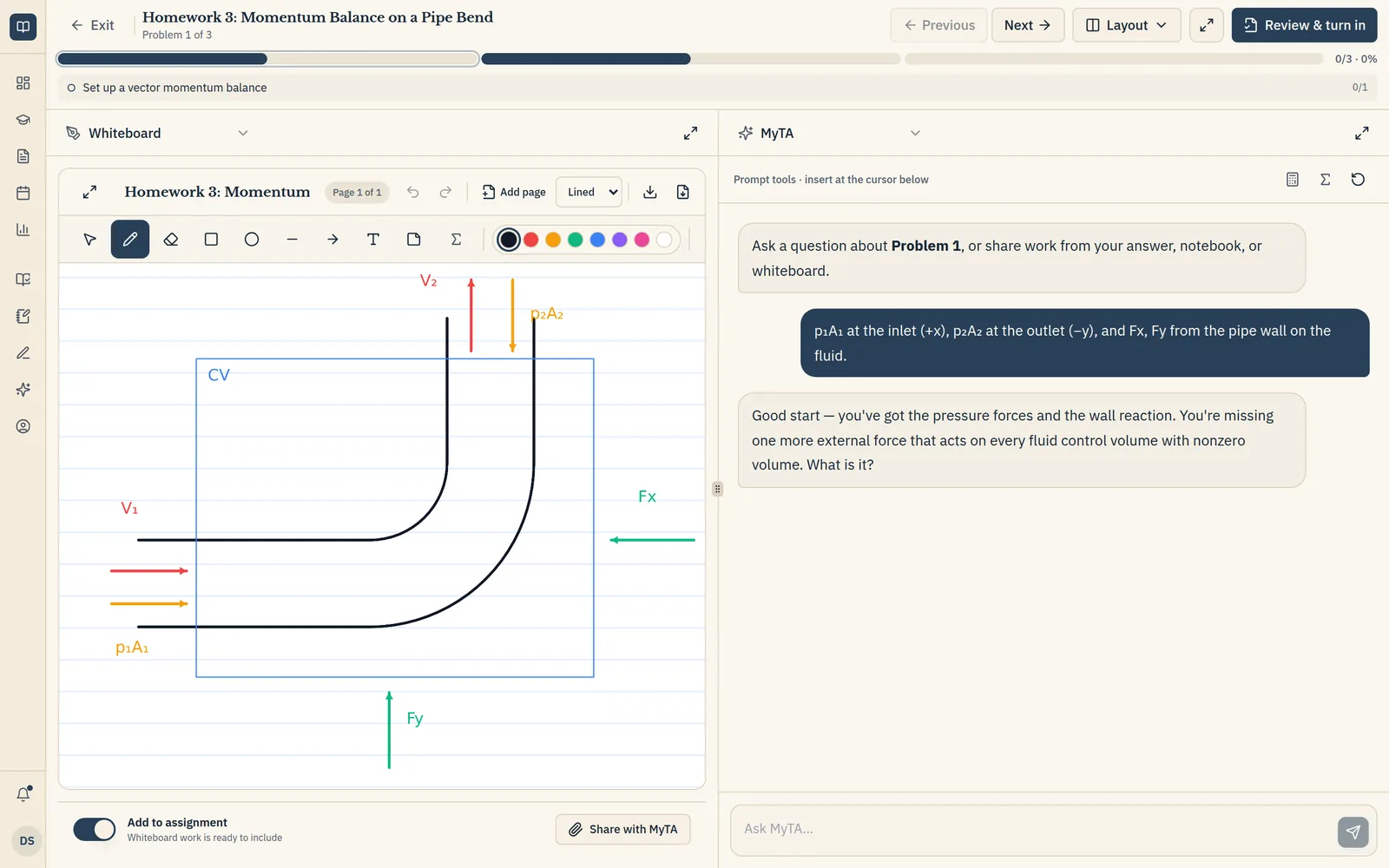
Sketch, graph, and take notes
A whiteboard, graphing calculator, and notebook sit beside every problem. Students can share their work with MyTA.
- 5Instructor
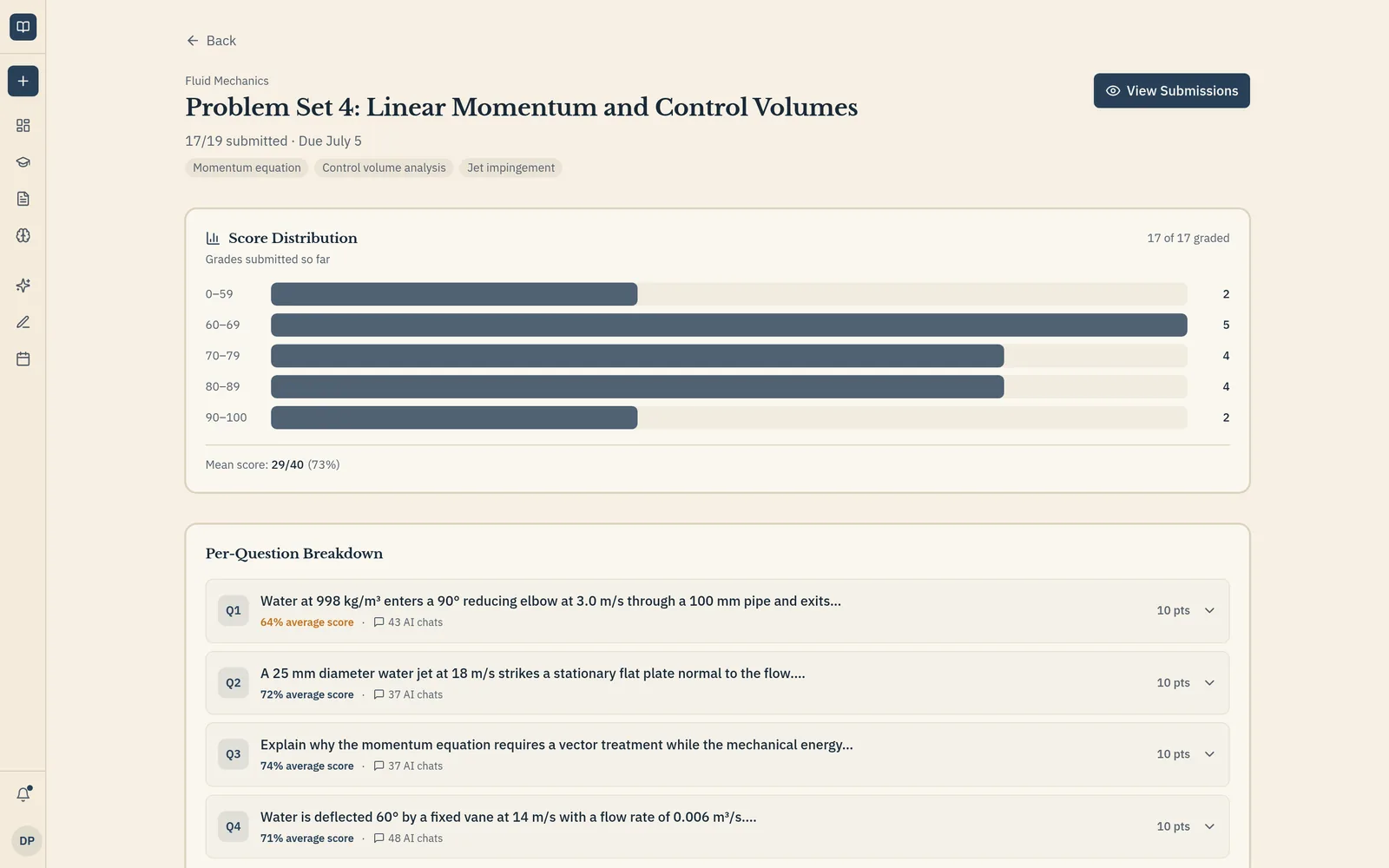
See where the class got stuck
Detailed analytics show common misconceptions, each student's areas for improvement, and which questions drew the most help.
- 6Student
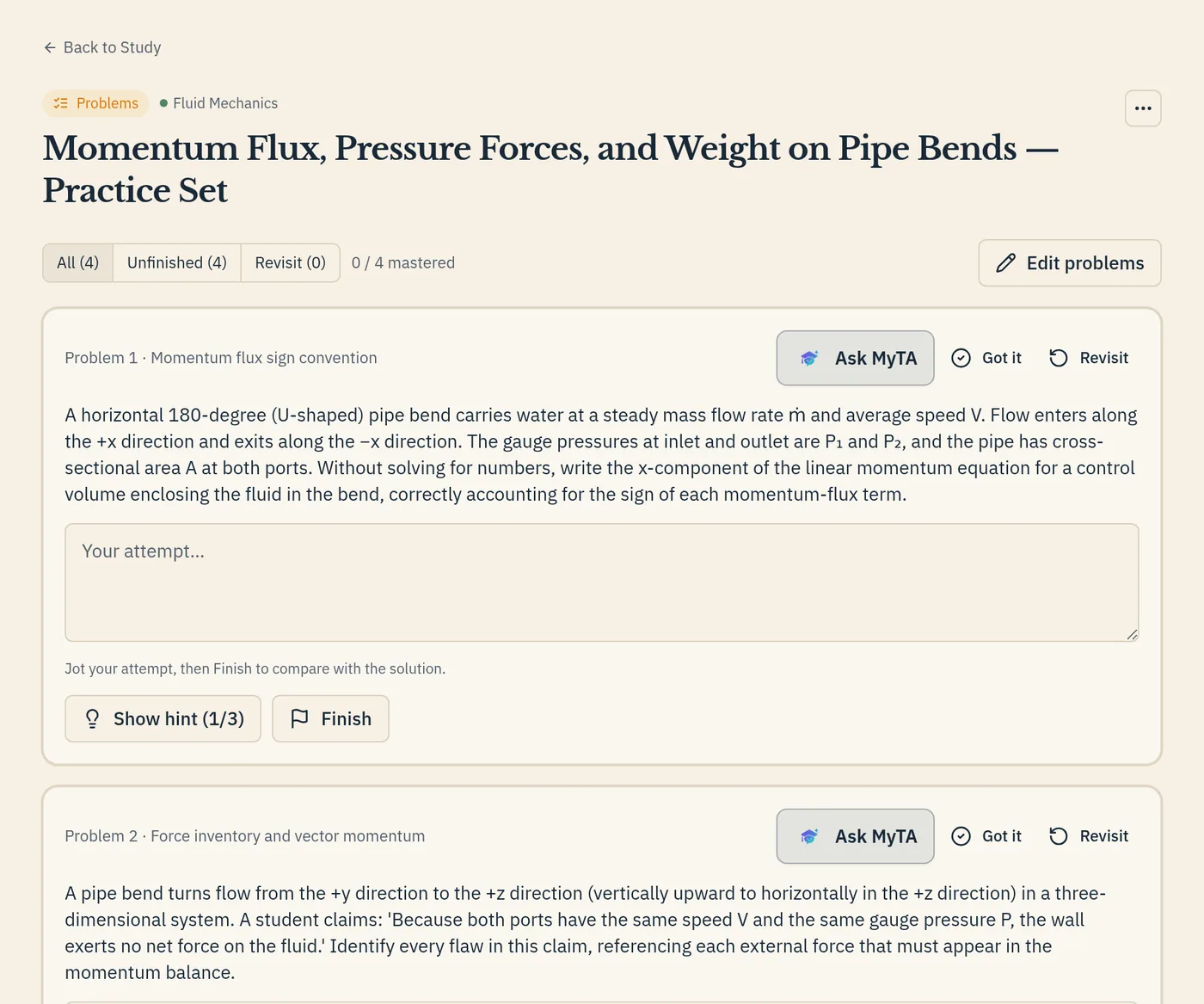
Practice what tripped them up
Students turn a past assignment into new practice problems on the same ideas.
AI helps most when it's built for learning.
We saw AI help students understand hard material. We also saw it let them skip the thinking. MyTA keeps the help and leaves the thinking to the student.
30+ institutions
Instructors and higher-ed leaders gave us input.
40+ feedback conversations
On AI use, workload, and what instructors need to see.
Built by Purdue students
We've seen what AI does for learning, good and bad.
- Keep the assignments they already use.
- Give students guided AI while they work.
- See where students struggle.
See what MyTA adds to the approach you use today.
Pick what you use now to see what changes.
Your coursework
Works inside a publisher courseware system.
Build around the assignments you already use.
Course context
McGraw Hill's AI support is grounded in its instructional content.
Ground guidance in the materials you actually teach from.
Learning visibility
Reporting reflects student performance inside the Connect experience.
See where students struggled while working.
Keep your course. Add guided AI, learning visibility, and focused study.
Try MyTA in one course.
Start with the assignments and materials you already use. We'll set up a focused first-semester pilot with you.
Frequently asked questions
About pilots, course fit, and guided AI.
Does MyTA prevent students from cheating?
No. MyTA doesn't detect or block AI use. Students already have powerful AI tools, so MyTA gives them a better option inside the course: help built around the assignment and your materials. In early trials, students told us MyTA was more efficient and more effective for learning than taking their homework to an outside AI tool.
What if students still use ChatGPT or another AI tool?
They can. MyTA doesn't try to block outside AI. It gives students a course-provided option tied to the exact assignment and your materials, and it shows you where students asked for help.
Will my existing assignments work in MyTA?
Usually, yes. Upload an existing PDF, write questions directly, or generate a draft from your topics and materials. If an assignment depends on outside software or a publisher system, we review it with you before the pilot.
How much work does a MyTA pilot require from me?
Very little. Start with one course and the assignments you already use. We help with setup, onboarding, and running the pilot, so you don't rebuild your course.
What analytics will I receive?
Detailed analytics for every assignment: the misconceptions your class shares, each student's strengths and areas for improvement, and, for every question, the average score and how many MyTA chats it drew. Use them to give each student personal feedback.
Does MyTA integrate with my LMS?
Pilots run on their own, so LMS integration isn't required to start. LMS integration is in development.
What class sizes work with MyTA?
There is no minimum. Class-level patterns get more useful as a class grows, but fit depends more on the assignment than on class size.
Who pays for MyTA?
The first pilot semester is free. Longer-term pricing is still being set and will be clear before any paid use begins.
How do I get started?
Start with one course. We review an assignment and your materials with you, confirm the fit, and agree on what to learn from the pilot before students begin.